Friday, September 18, 2015

Fyp 2: Week 2 :- Final Year Project 2

Study how to make circuits. Research about components that need to used in circuit and collect more information about circuit.


Recommended Tools and Supplies

  •  Soldering iron and solder: Just about any 25-30 Watt soldering iron will do. Ideally, the temperature of you iron would be between 600-700 degrees F (for lead-free solder, 700-800 is recommended). 
  •  How temperature relates to wattage depends a lot on the iron and some high wattage irons have too high of a temperature. Avoid "solder guns" as these are meant for pipe soldering. Not only can these be too hot, but they work by running high current through a resistive heating element, and this could apply dangerous voltages to your circuit
  • For solder, starting out with a lead-based solder, usually called 63/37 (63% tin, 37% lead by weight) or 60/40 rosin cored solder. Get whatever cheaper; there's unnoticeable difference in hand soldering between 63/37 and 60/40. The rosin is a flux that cleans parts so solder will bond with them. Avoid solid wire (no flux core) and acid cored solder (for plumbing, too aggressive for circuits).  
  • Needle Nose Pliers: Useful for pre-bending leads, pulling out components during de-soldering, and a lot of other things. 
  • Wire Strippers: Two types are shown: the yellow ones can be adjusted to strip any size wire (good for small 28-30 AWG ribbon cable wires) whereas the red handled ones have several fixed hole sizes. 
  • Flush Cutters: Used to trim leads close to the board after soldering 
  • Clamps: Oftentimes just resting your board on a table will be fine, but the clamps are especially helpful when desoldering parts or soldering wires together. 
  • Solder Sucker and Solder Wick: Both are inexpensive ways to remove solder. The sucker is a spring loaded tube that vacuums out solder and the wick is a fine braid of flux coated copper that soaks up solder. 
  • Multimeter: Some multimeters have a continuity check that beeps if there is a complete circuit. This is very useful for making sure parts are connected or disconnected when there're a lot of wires and parts. 
  • Pink Erasor: (not shown) A pink eraser can be used to rub off oxides from older components and boards without risking damage to the parts.


Wednesday, September 9, 2015

Fyp 2: Week 1 :- Final Year Project 2

Register for Final Year Project 2 subject in Unikl Bmi after defer previous semester. Meet with Pn.Johara FYP2 supervisor.


Thursday, December 18, 2014

Fyp 1: Week 14 :- Proposal Final Year Project Progress

           Completing a correction in the proposal report and finish up the proposal report and blog before submitting to my supervisor where this week is a due date to submit all these. For the result, the proposal report and blog has been submitted on time at the end of this week.

Tuesday, December 9, 2014

Fyp 1: Week 12-13 :- Proposal Final Year Project Progress

Make a correction and finalization of the proposal report following the opinion from the assessor including planning for next semester work plan. This work plan is important to make sure the progress to build up the prototype going smoothly.

Friday, November 28, 2014

Fyp 1: Week 11 :- Proposal Final Year Project Progress


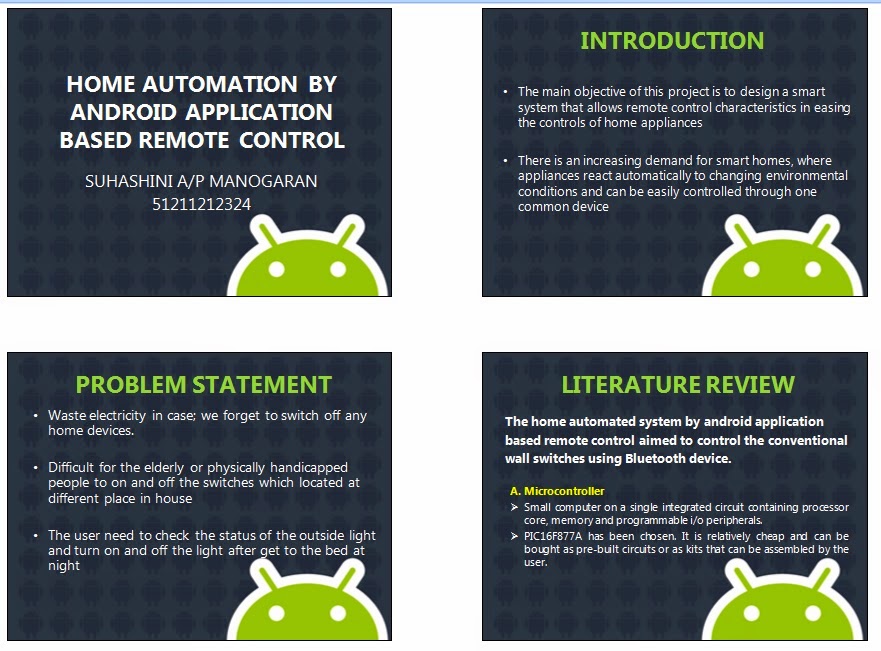
 This is the  project proposal presentation week, for FYP 1. All FYP 1 student will be at Gemilang Hall starting 3.30 pm until 5.30 pm. each student has two accessors to evaluate their project presentation. For my presentation, i was evaluated by two accessors, Pn.Amalia and Mdm Hajar. i was present the best as i can without any problems and thanks a lot to the accessors who making the presentation goes smooth and easy. I have attach a slides used during the presentation.


    This is the  project proposal presentation week, for FYP 1. All FYP 1 student will be at Gemilang Hall starting 3.30 pm until 5.30 pm. each student has two accessors to evaluate their project presentation. For my presentation, i was evaluated by two accessors, Pn.Amalia and Mdm Hajar. i was present the best as i can without any problems and thanks a lot to the accessors who making the presentation goes smooth and easy. I have attach a slides used during the presentation.

Sunday, November 23, 2014

Fyp 1: Week 10 :- Proposal Final Year Project Progress (PART 3)


BENEFITS


           The benefit is this system useful for elderly or physically handicapped people. By having a living place that is self-sufficient to automatically perform routine functions through a simple access panel or with a few clicks of buttons offers a lot of convenience to the family members. With the use of advanced home automation, you can also cut-down on your costs for electricity. One remote control for the entire home, can be integrated into a smart home, all controlled with one software application

WORK PLAN

          The time frame allocated for this research study is 9 months. It will start on September 2014 and projected to be complete in May 2015. The time planner for the project is shown in table below. A head start is needed in the research phase at the beginning to gain knowledge on all the devices and components that are intended to be used for the project as the time is limited.
          Prototype of the home automation system will be built to enable the community to visualise the impact and application of the proposed methods in determining the best solutions in home automation system design with respect to reliability and cost. This prototype will be presented in the FYP Presentation Day.

Table 1: Work plan


BUDGET

 Table 2: Budget plan

CONCLUSION
             The smart home system creates to allow user’s control over home appliances from a remote distance. One of the controllable platforms is the Android device that controls home appliances by connecting to the main server. The GUI will be developed for the popular Android platform. Regardless of that, the microcontroller can be created a wider range of applicability for the system. With its lower cost, the system can be integrated in more areas especially in places where it is needed, such as home for the elderly.


Thursday, November 20, 2014

Fyp 1: Week 10 :- Proposal Final Year Project Progress (PART 2)


PROBLEM STATEMENT

The main objective of this project is to design a home automation system that allows remote control characteristics in easing the controls of home appliances. Without this technology, user may face many problems in setting up a Home Control System to control our home devices such as:

·   Difficult for the elderly or physically handicapped people to on and off the switches which located         at different place in house.

·  Waste our time in case; need to wake up in night if we forget to switch off any devices that may be   danger to our house.

·   Waste electricity in case; forget to switch off any home devices at upstairs if double storey houses.


LITERATURE REVIEW

Literature review is a short and precise overview about the present state of research that is immediately connected with the proposed project. It also focuses on various theory and basic knowledge used in this project. In home automation, Android application act as transmitter, which sends ON/OFF commands to the receiver where loads are connected. By operating the specified remote switch on the transmitter, the loads can be turned ON/OFF remotely through wireless technology.  
Integration of Bluetooth and Wi-Fi technology in Controlling home appliances can help and improve lifestyle of all user groups especially to the disabled and elderly people in term of safety and comfortable. The implementation of combined wired and wireless systems would be of most practical in designing a smart home system especially in cutting the system’s installation cost for conventional home.           
A microcontroller is a small computer on a single integrated circuit containing processor core,memory and programmable I/O peripherals. [3] After much research, PIC16F877A has been chosen. PIC microcontrollers (Programmable Interface Controllers) are electronic circuits that can be programmed to carry out a vast range of tasks. They can be programmed to be timers or to control a production line and much more. PIC Microcontrollers are relatively cheap and can be bought as pre-built circuits or as kits that can be assembled by the user. [3]

Software design section includes the main functions of the system designed in the PIC microcontroller and the GUIs Android application. The switches detection function is performed by the microcontroller, PIC. Window GUI is designed by a user-friendly interface. Control board ’’Connect‟ button is performed to establish connection to main control board by Bluetooth or USB. Phone ‘’Connect‟ button is performed to establish connection between Window GUI and Android GUI. When the both connections are established, Window GUI acts as the server between main board and phone.


METHODOLOGY

In this project, the core part to develop the home automated system is microcontroller. It acts as a brain which controls the whole system. This project consists of input and an output system. There are various methods involved in this project which includes:


*      Design a home automation prototype with appropriate and precise height, weight and width.
*      Design and construct circuit which consists of control system and subsystems
*      Create programming code using C language to be used with the PIC.
*      Assembly all the circuits and build a home automation prototype.
*      Troubleshoot the circuit to ensure the functionality of it.
   
   A.BLOCK DIAGRAM


The hardware unit of the prototype is represented by the block diagram above. It contains a PIC16F877A microcontroller as the main processing unit and it gets inputs from the voltage regulator, and Bluetooth device. From the data obtained from the Bluetooth module the program controls the actuator components such as fans and fluorescent light to achieve the system requirements.

B.FLOW CHART
Figure 2: Flowchart

OBJECTIVE

This research study intends to plug the research gap and will demonstrate the development of the home automation system with Android based remote control by:
•      To study and research and design the home appliances and the control system
•      To study and research about the wireless Bluetooth module
•      To  study and research about the various microcontroller architectures
•      To learn about the android application software
•      To allow the system to portray a two-way communication system between the house-hold appliances and user’s controlling device